
When care needs change, or the hours don’t seem right.
Preparing for an assessment? Concerned about a reduction in hours? CRN helps you understand the IHSS process, document care needs, and prepare for your next conversation or appeal.
For California families
When you receive a confusing notice, disagree with a decision, or aren’t sure what to do next, Care Rights Navigator helps you understand your options, prepare for important conversations, and take the next step with confidence.
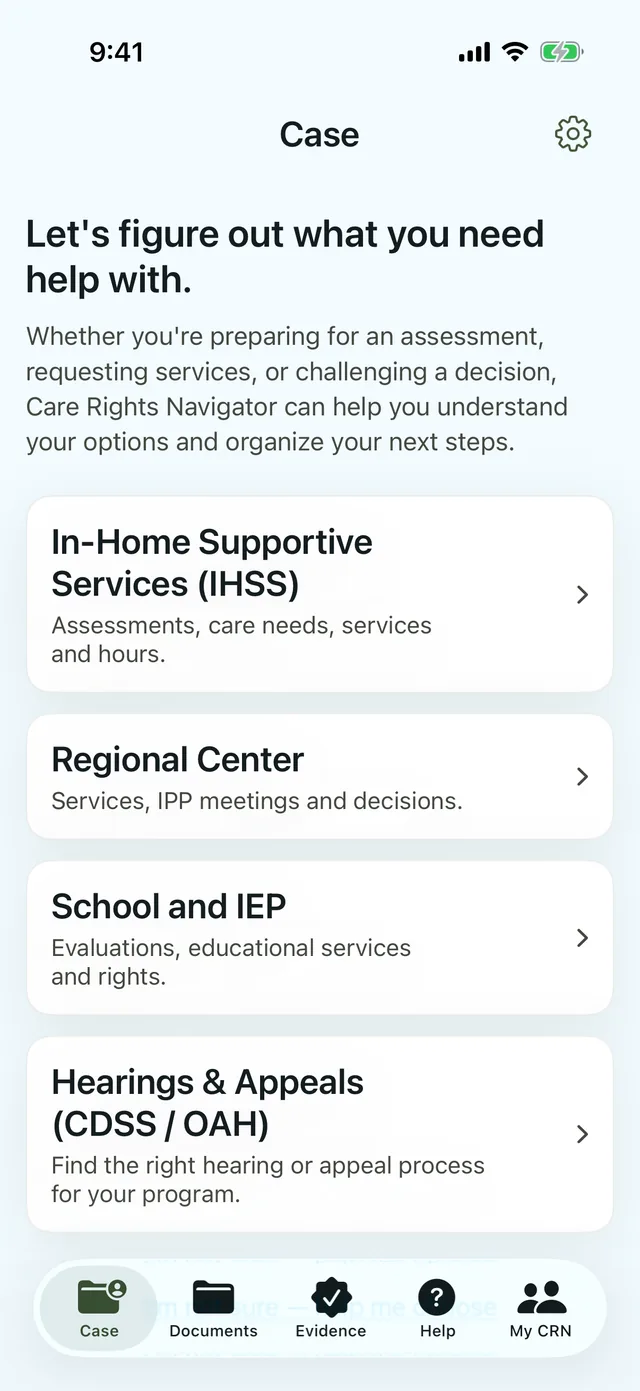
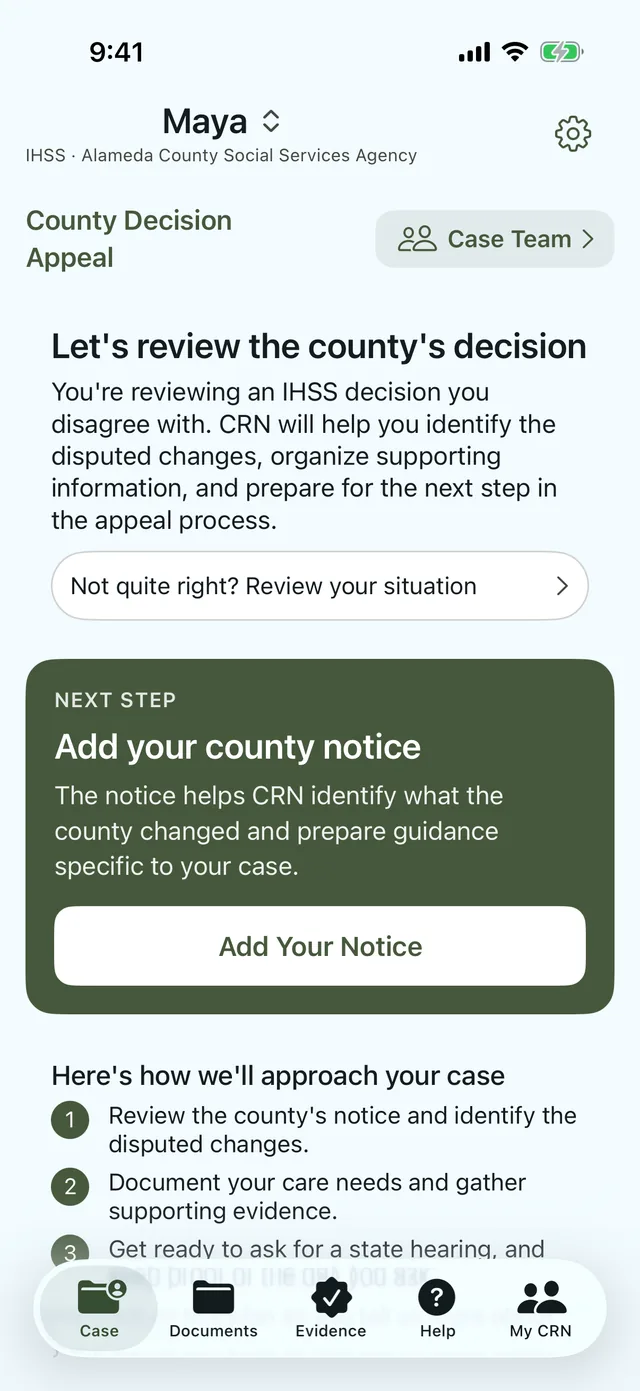
Care Rights Navigator is coming soon to iPhone. App screens show a fictional sample case.
How CRN helps
Whether you’re starting with a letter, preparing for an assessment, or trying to resolve a service problem, CRN helps you work through the information and prepare for what comes next.
Start with the situation you’re facing, whether it’s an upcoming meeting, a change in care needs, or a decision you disagree with.
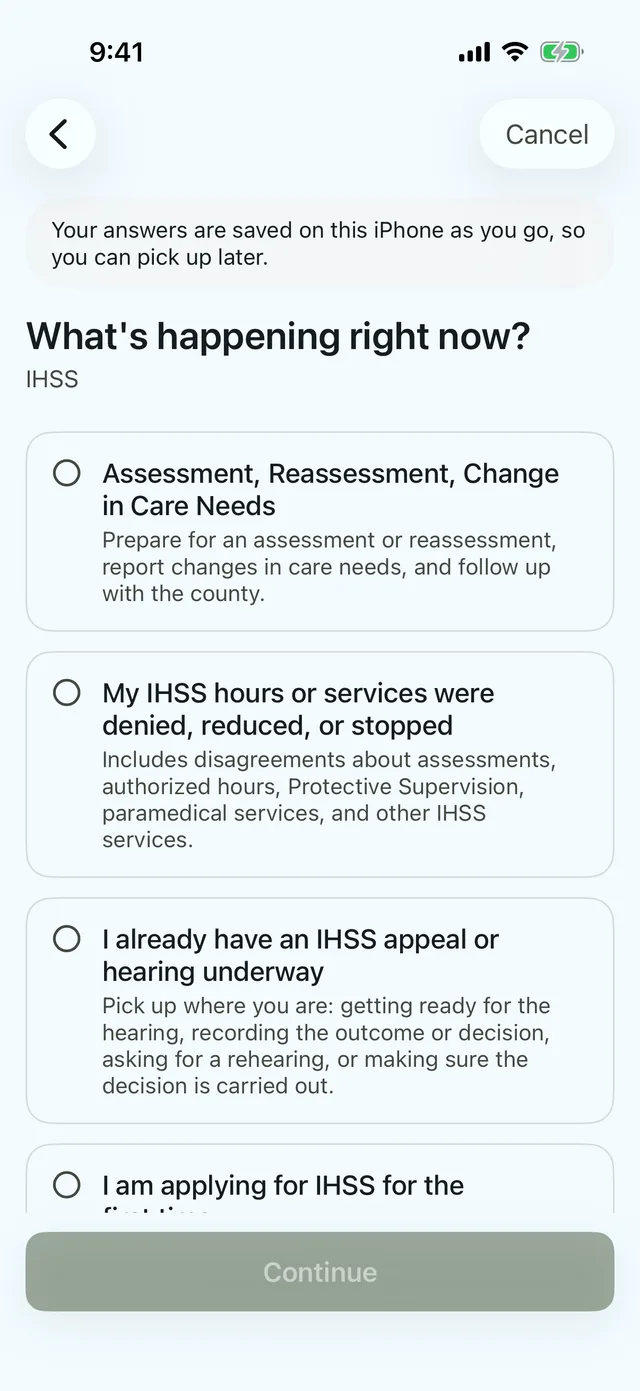
Answer a few questions and, when helpful, add a notice or document so CRN can provide more relevant guidance.
See practical guidance based on the information you’ve provided, with opportunities to correct or update your case.
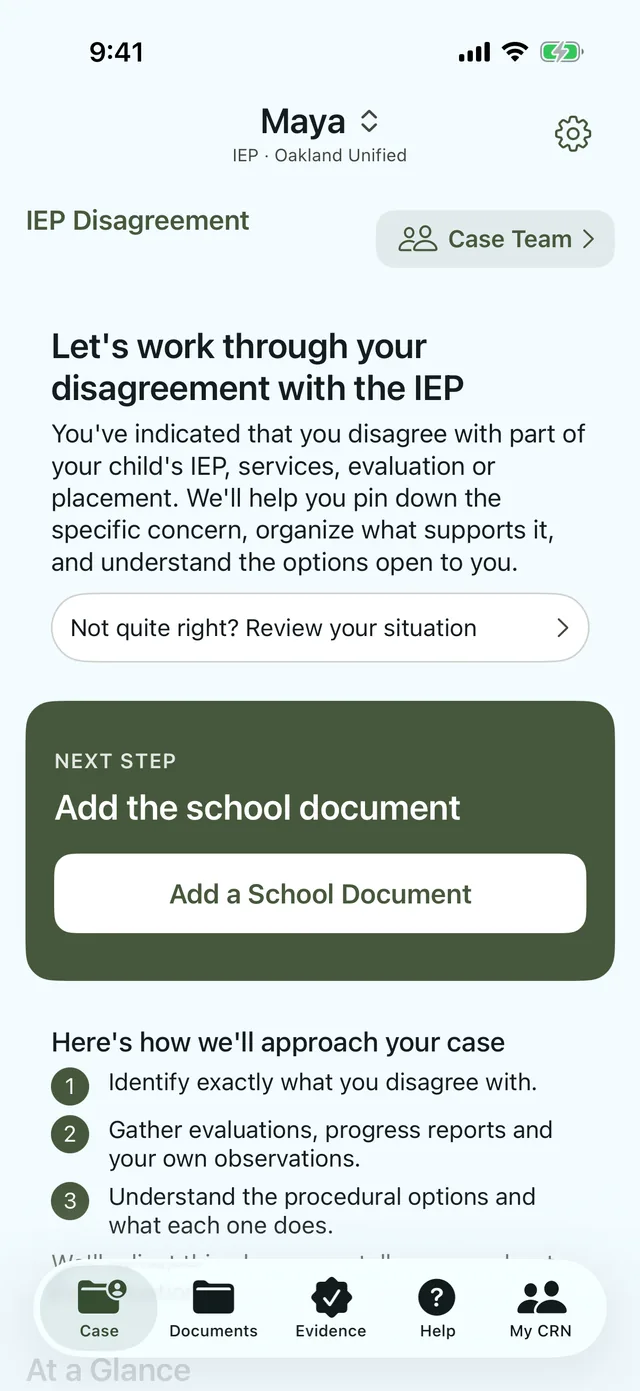
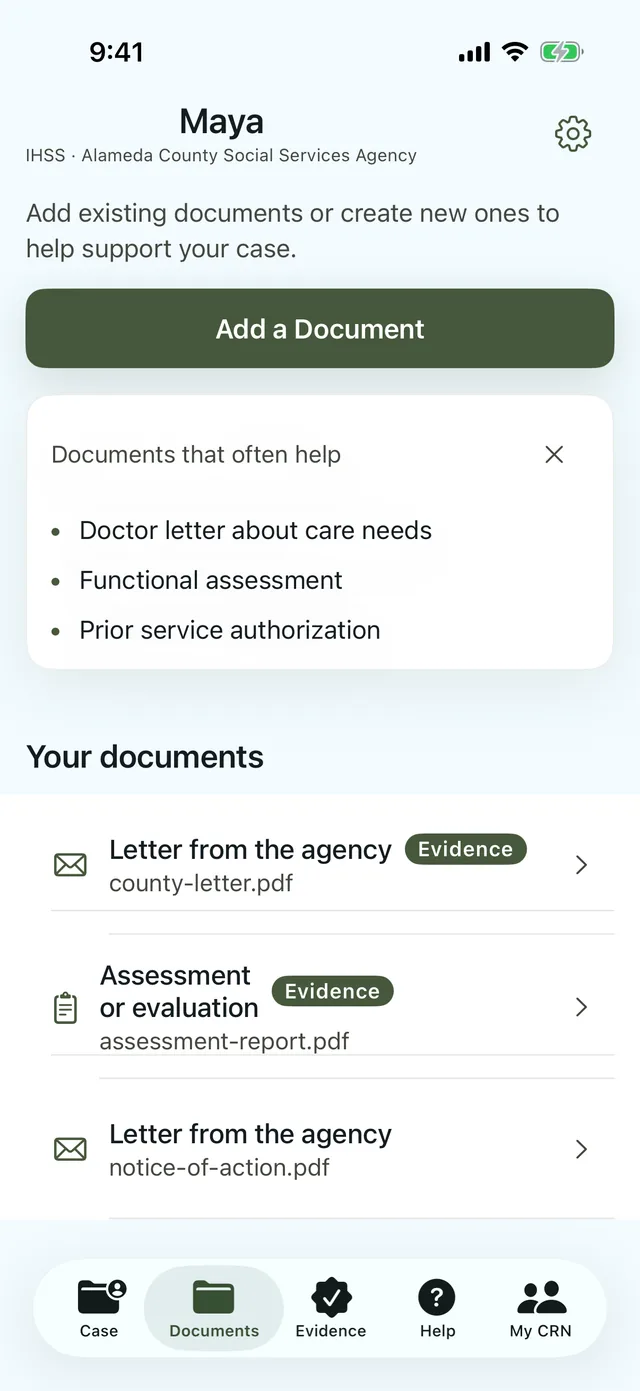
Organize important documents, notes, and supporting evidence in one place.
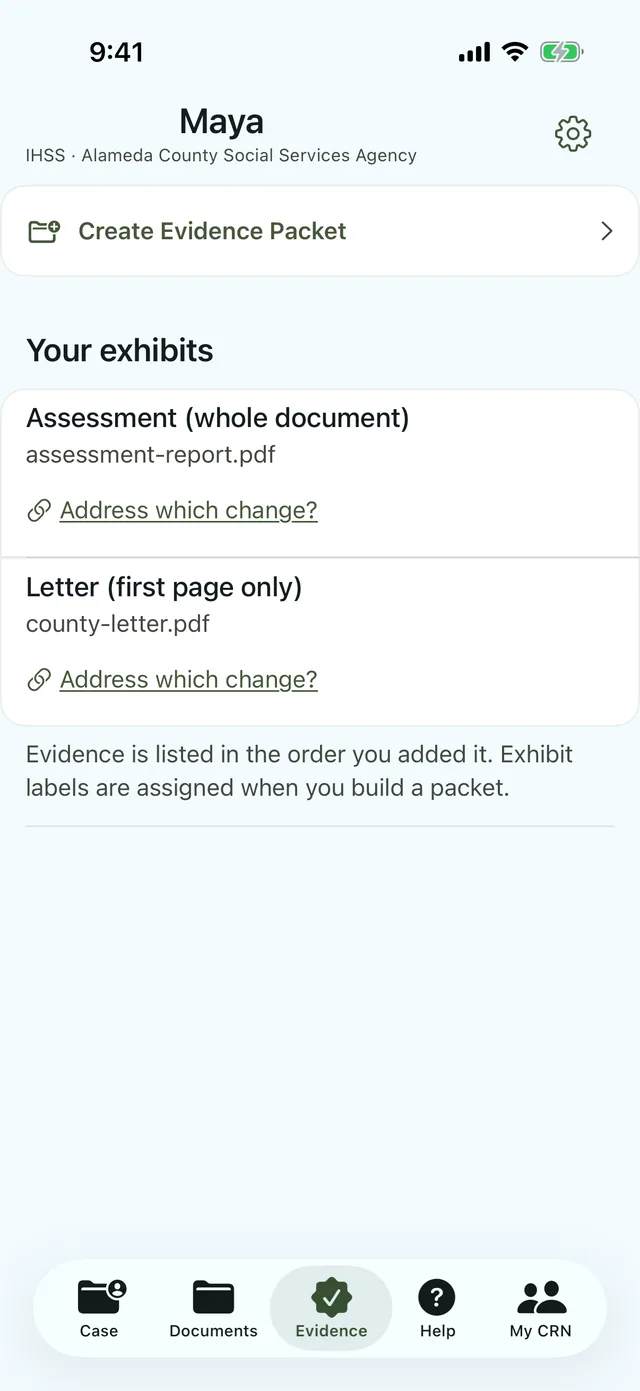
Get ready for conversations, meetings, requests, or hearings with the information you’ve gathered.
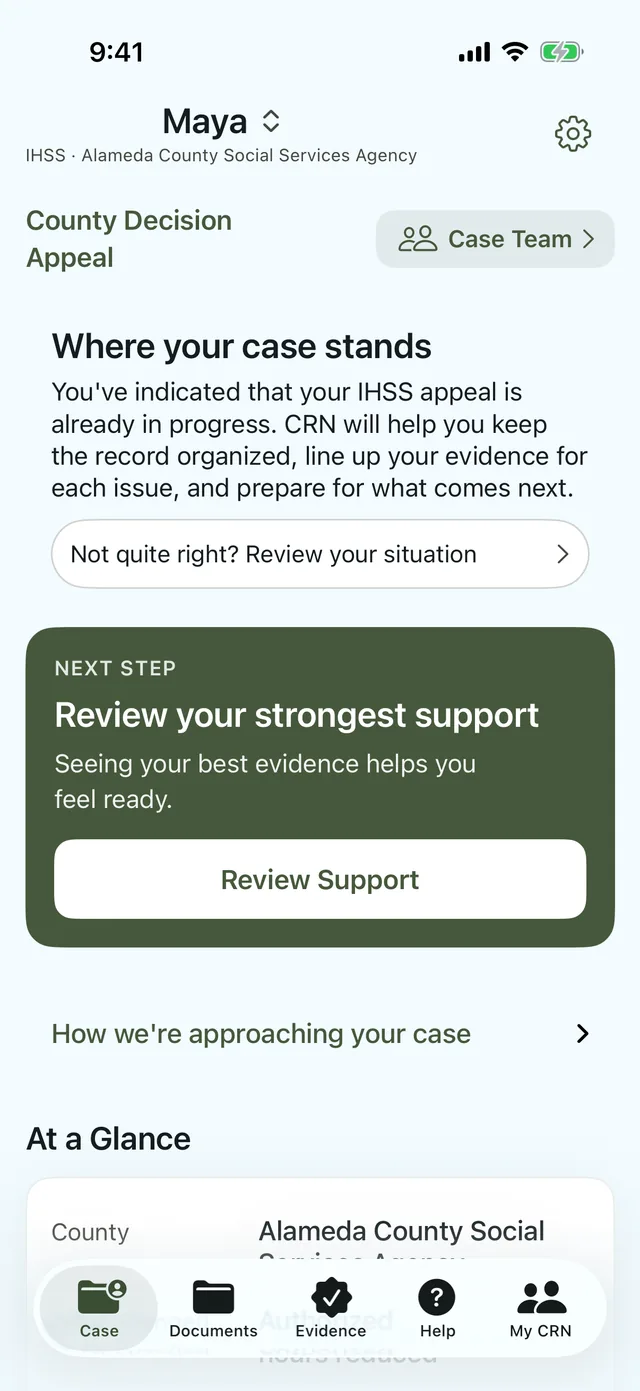
Every family’s situation is different, so what you see in CRN depends on what you tell it. App screens show a fictional sample case.
Four California programs
Different programs have different rules and processes. CRN helps you understand what may apply to your situation and prepare for the steps ahead.
Preparing for an assessment? Concerned about a reduction in hours? CRN helps you understand the IHSS process, document care needs, and prepare for your next conversation or appeal.
Whether you’re preparing for an IPP meeting, requesting support, or following up on a service that hasn’t been provided, CRN helps you organize the facts and understand possible next steps.
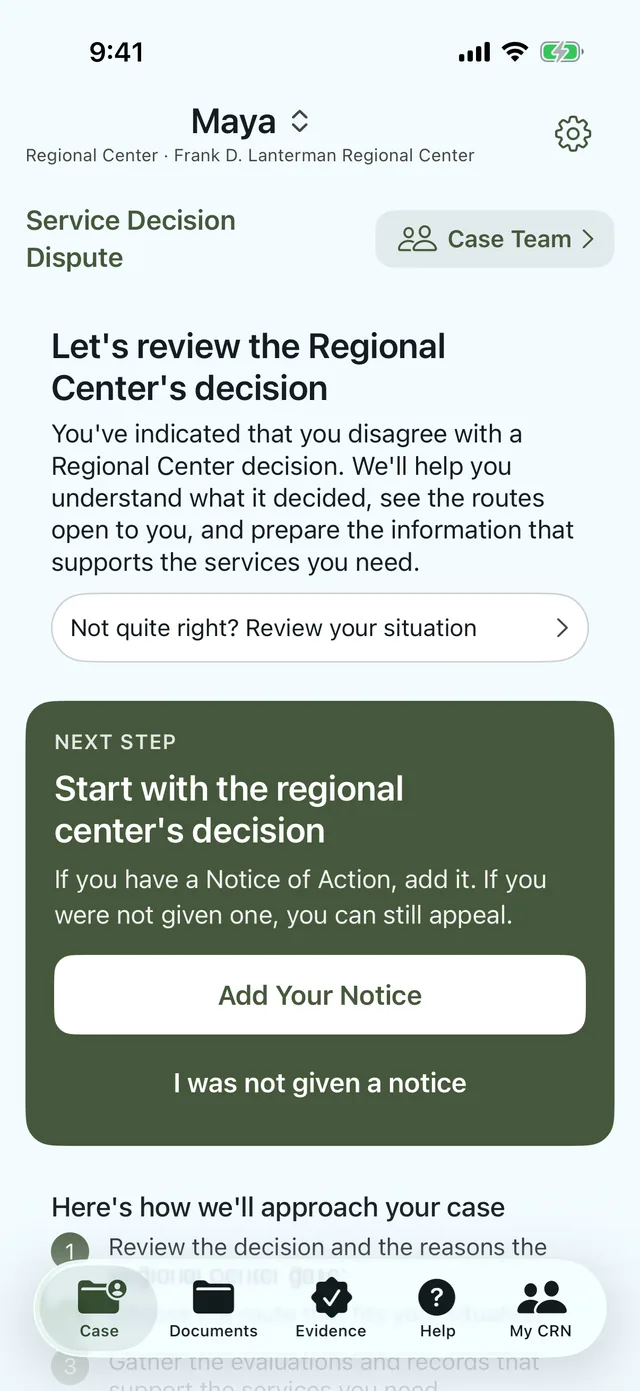
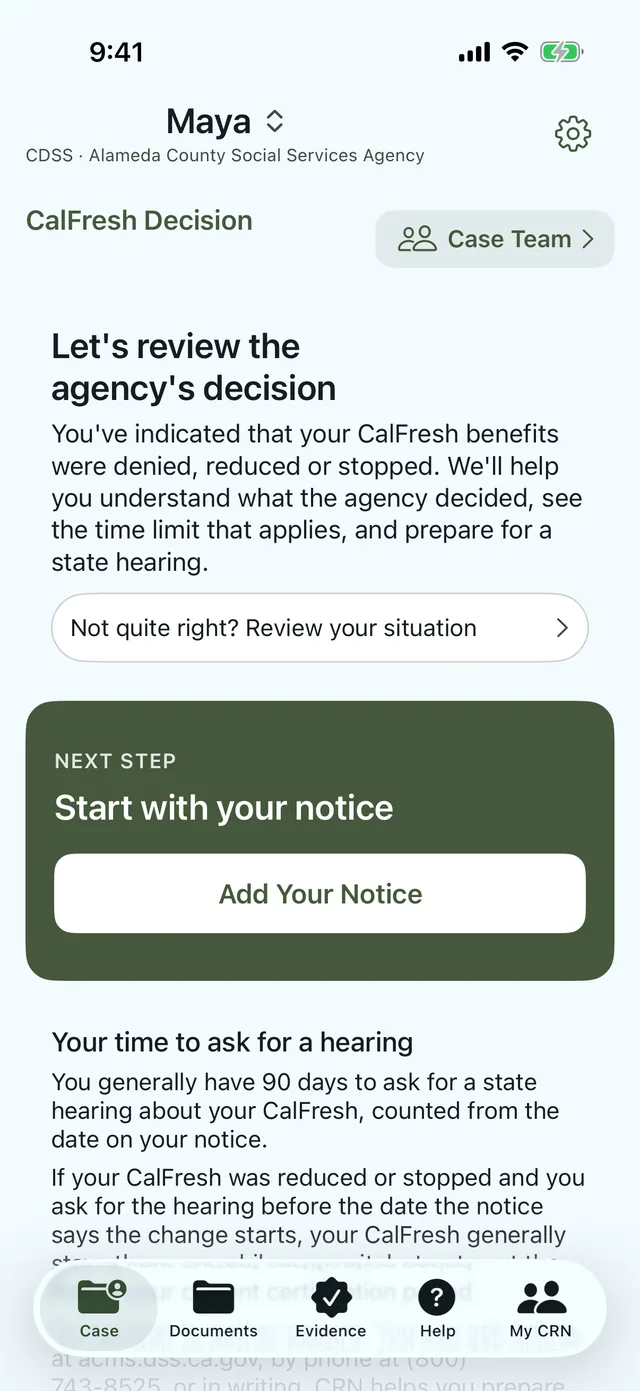
Received a notice you don’t agree with? CRN helps you understand the hearing process, keep track of important dates, and prepare the information you may need to present your case.
From preparing for an IEP meeting to addressing disagreements about services, CRN helps you organize concerns, understand the process, and prepare to advocate for your child.
Privacy
Your case information is stored on your iPhone, not on MntraAI’s servers. You decide when to share documents or information with others. The app has no CRN account, no advertising, and no third-party analytics.
Everything you enter, import, or scan is stored in the app on your phone. When CRN reads a document, that happens on your phone too.
Information leaves the app when you share, export, print, or email something yourself. Links to agency websites open in your browser.
Apple processes purchases and subscriptions. CRN learns whether your subscription is active, not your payment details, and your case is not part of that.
If you use iCloud Backup or back up your iPhone to a computer, Apple’s backups can include the app’s data. You control those backups, and you can delete a single case, or everything, from inside the app.
CRN isn’t a law firm, and using it doesn’t create an attorney-client relationship.
CRN doesn’t file requests or appeals, or contact any agency, for you.
Dates in CRN are a guide. Your notice and the agency have the final word.
Care Rights Navigator is coming soon to iPhone.
Coming soon to iPhone
Questions? Visit Support.